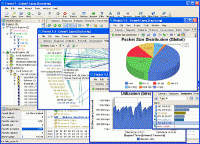
Packet Analyzer CAPSA Pro edition is an advanced sniffing tool with powerful protocol decodes capabilities. It captures and analyze all traffic transport over both Ethernet and WLAN network with results displayed in simple English.
Packet Analyzer CAPSA pro edition is an advanced packet analysis and sniffing tool with powerful protocol decodes capabilities. It can capture all traffic transport over local network segment and decodes all major and frequently used protocols including TCP/IP, UDP, HTTP, HTTPS, SMTP, POP3, TELNET, FTP, etc. All information is displayed in simple English with easy to use interface for anyone to master the tool with minutes of self training. Packet Anakyzer provides handy traffic and message analysis on email, web and transactions so that you can view all emails, Internet traffic and transactions of the entire network real time ir record them for later usage. With Packet Analyzer, you can easily filter the network traffic to focus on the information that you are looking for. Use these flexible, powerful filters during or after capture to isolate traffic by specific node, protocol, error type and/or packet content.
Packet Analyzer Key Features:
Smart Real-time packet capturing and analyzing;
Reconstructs TCP/IP sessions and enables you to see data in their original format;
Capture, display and save transaction information such as user name and password and the entire message
Capture Pop3 and SMTP emails, display and save in Outlook Express Message Format;
Capture HTTP traffic for you to view all Internet web traffic;
Powerful Packets Viewer to examine data in plain English
Protocol decodes on TCP/UDP//IP suite and application protocols including POP3, SMTP, HTTP, TELNET, FTP;
Powerful filter provides a general and flexible mechanism for user to focus on useful packets;
Trace TCP connection states and display bandwidth usage and other critical information
Support multiple monitors and terminal server;
Suppot both Ethernet and 802.11 wireless infrastruture. Whats new in version 7.1: Better UI, improved performance, many new features Requirements: nothing special Operating system: Win95,Win98,WinXP,WinNT 3.x,WinNT 4.x,Windows2000,Windows2003 Limitations: Demo version with capture time limited to 30 minites Release notes: Major Update
This program displays various statistics about your Dial-up, GPRS, ADSL, LAN and so forth (TCP/IP) connections to the Internet. It can process almost all variety of tariff schemes, which are used by ISPs of different countries.
Price: $18.75, Rating: 8, Downloads: 167 Download
The Managed Switch Port Mapping tool is a program that communicates with a managed ethernet switch via SNMPv1/v2c and maps the physical port connections to MAC and IP addresses of the attached devices.
Price: $199, Rating: 0, Downloads: 153 Download
Monitoring activities that are going on your employees? computer is now very easy with Network PC Monitor.
Price: $29, Rating: 8, Downloads: 144 Download
User Rating
Rating:2.2 out of
5 Based on13 ratings.
13 user reviews.

 Network Troubleshooting Analyzer CAPSA 7.1 details